
Sell More on Instagram with Shoppable Post

Hey E-preneurs! So many of you have asked and many of you have seen the new Instagram feature: Shoppable Post. You now have a new way to reach your shoppers straight through Instagram without even having to leave the app. You will notice a little shopping bag icon on shoppable post and you will be able to scroll through your feed and tap to view products directly from your Instagram and make a purchase. The product name and price details will appear directly on the post. This makes it perfect for online retailers and bloggers because your followers can see the products right in the post without having to even leave the website.
Instagram is currently doing beta-testing for this feature so only a select few business Instagram accounts can access this feature. Once the test phase is complete the Shoppable Post feature will be available to all users, but this is perfect because you can now prepare for the new feature and get your shop in order before it rolls out.
You need to make sure your shop is ready before the feature is available to everyone so here are a few steps you need to take:
- Through the Facebook Channel on Shopify, install the Facebook Catalogue feature
- Set up an Instagram Business Account for your online shop (under the Instagram settings, “Switch to business profile”)
- Make sure you have an eligible physical good to sell (meaning it cannot be a digital product or a service)
Once you are all set up and ready to post a Shoppable Post, here are the steps to make the post:
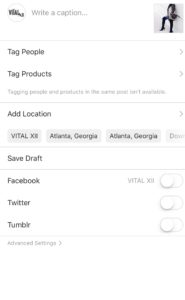
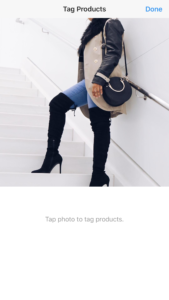

*Keep in mind you will not be able to tag both a person and a product within the same post*
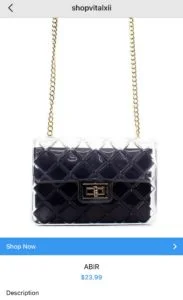
Instagram Shoppable Post presents an exciting opportunity for retailers and influencers to show off their products and make it easier for their followers to directly click on products straight from the post.
How will you optimize the Instagram Shoppable Post feature?